关注 “环球资源外贸” 官方微信,获取实时外贸资讯

Product Information
Key Specifications/ Special Features
Receiver:
Product Name: Universal Electric door Car Tailgate RF Wireless Remote Control
Product Model: AK-DL10-V1.0
Frequency: 315/433MHz(Other frequency could be customized)
Working Voltage: DC12V
Working Mode: Momentary/Latched/Toggle
Size: 135*73*18mm
Weight: 125g
Remote Control (Transmitter):
Product Name: 10 Buttons Universal Wireless Remote Control
Model Number: AK-7010TX V1.0
Function: Remote Control
Working Votage: DC12V
Transmit Distance: 50meter
Frequency: 315/433.92MHz
IC: EV1527
Size: 110*37*15mm
Weight: 41g
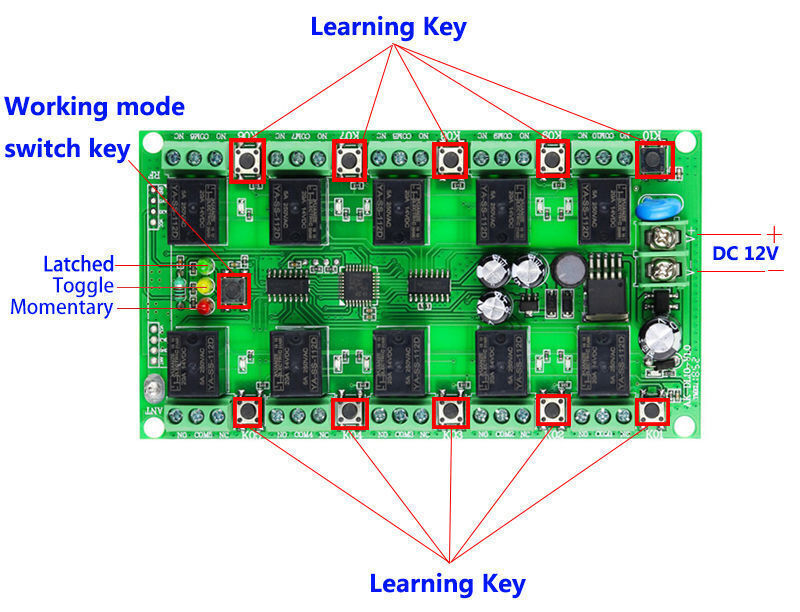
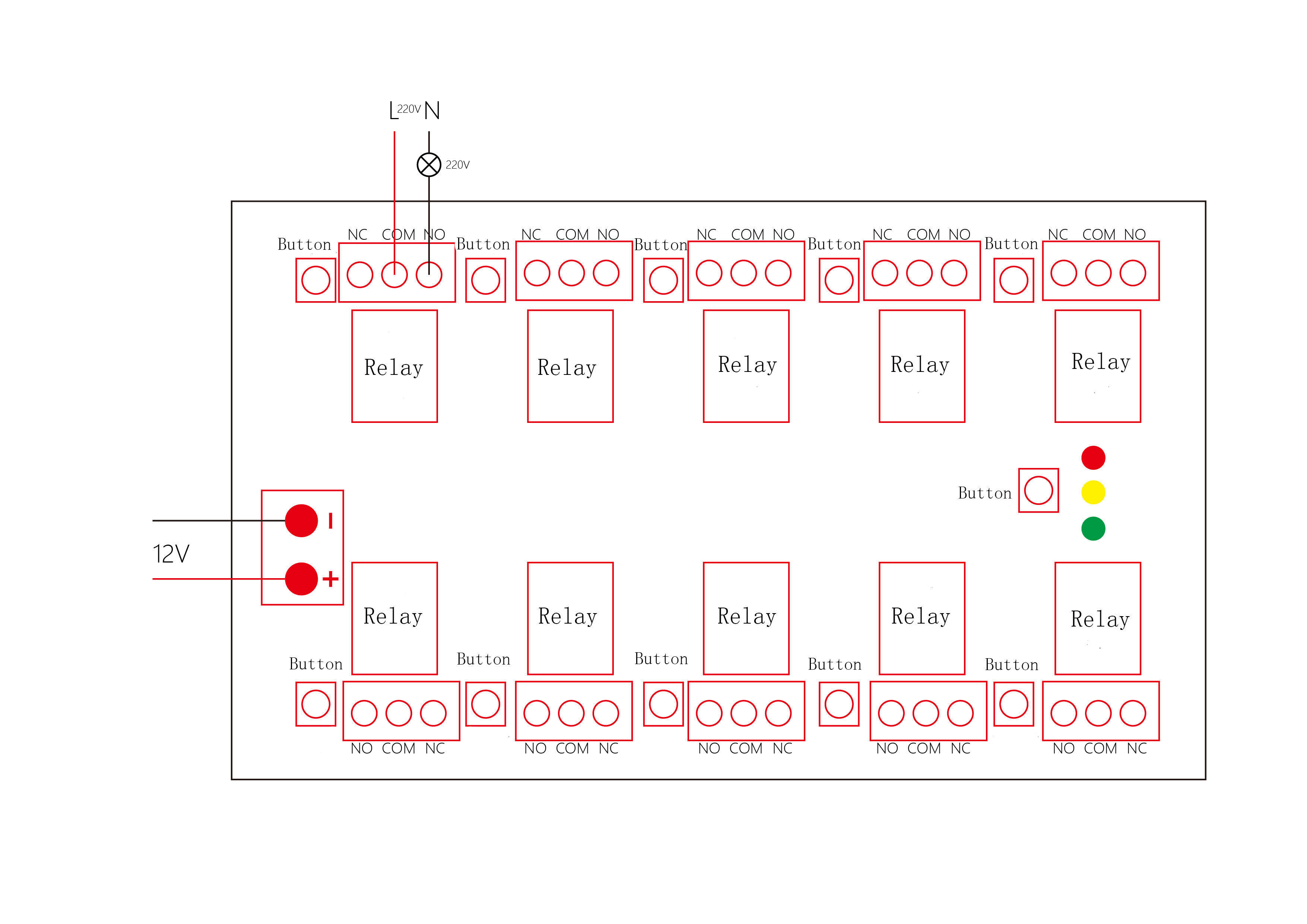
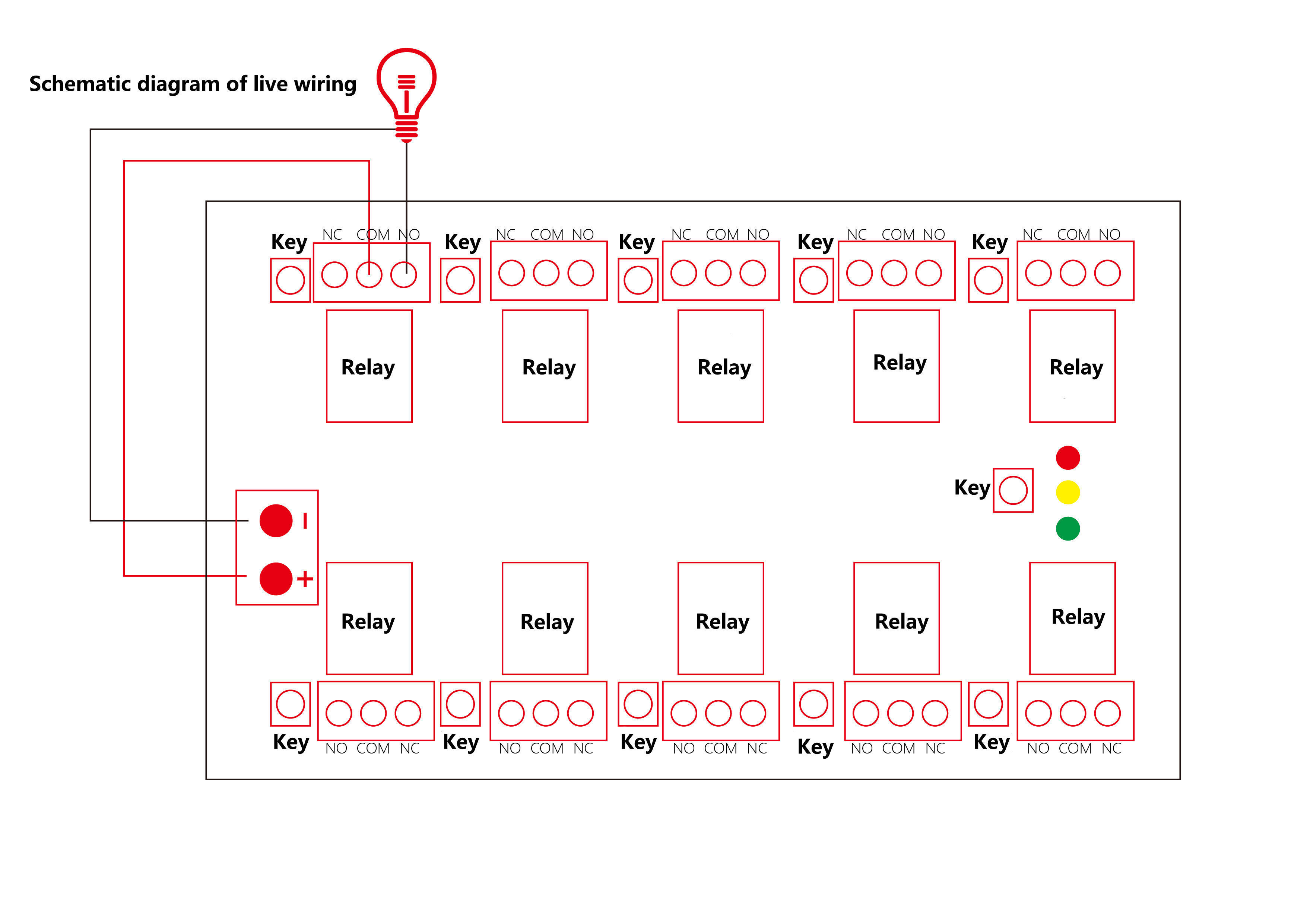
Wiring diagram:
Working mode
Momentary - press the switch button to turn on the red light
Toggle -- press the switch button to turn on the yellow light
Latched - press the switch button to turn on the green light
Clearing Code:
Press and hold the learning button for about 6 seconds until the working mode indicator lights up, which indicating that the saved information has been cleared successfully.
Learning Code:
Press the learning button, the indicator will go off, release and press any button of the remote control, indicator will flash for three times and then it will stay lit, which indicating successful learning.
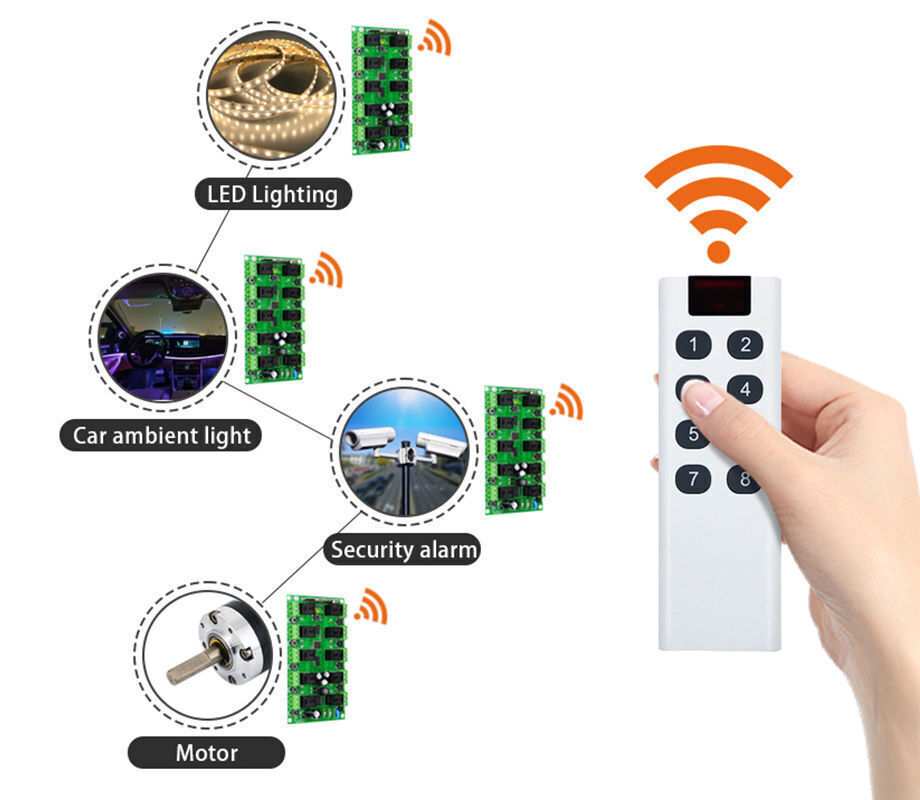
Notes:
* The input voltage cannot exceed the working voltage range.
* Keep it out of reach of children.
* In an environment with strong wireless interference, the control distance may be reduced.
* It is forbidden to use it in a humid environment, otherwise it may cause damage to the controller.
Receiver:
Product Name: Universal Electric door Car Tailgate RF Wireless Remote Control
Product Model: AK-DL10-V1.0
Frequency: 315/433MHz(Other frequency could be customized)
Working Voltage: DC12V
Working Mode: Momentary/Latched/Toggle
Size: 135*73*18mm
Weight: 125g
Remote Control (Transmitter):
Product Name: 10 Buttons Universal Wireless Remote Control
Model Number: AK-7010TX V1.0
Function: Remote Control
Working Votage: DC12V
Transmit Distance: 50meter
Frequency: 315/433.92MHz
IC: EV1527
Size: 110*37*15mm
Weight: 41g
Wiring diagram:
Working mode
Momentary - press the switch button to turn on the red light
Toggle -- press the switch button to turn on the yellow light
Latched - press the switch button to turn on the green light
Clearing Code:
Press and hold the learning button for about 6 seconds until the working mode indicator lights up, which indicating that the saved information has been cleared successfully.
Learning Code:
Press the learning button, the indicator will go off, release and press any button of the remote control, indicator will flash for three times and then it will stay lit, which indicating successful learning.
Notes:
* The input voltage cannot exceed the working voltage range.
* Keep it out of reach of children.
* In an environment with strong wireless interference, the control distance may be reduced.
* It is forbidden to use it in a humid environment, otherwise it may cause damage to the controller.
 ,Manufacturer ,Trading Company ,Online Seller ,Wholesaler
 Global Sources Consumer Electronics
Global Sources Gaming
